

Meta Muse is the personal AI agent people are pointing at your website most often right now. Across sites that use Verisoul, Muse made up 68% of the personal-agent sessions we named between Oct 29 and Nov 1, 2026, its first days in our API, which is about five times as many as the next agent, Instinct. It was also the most widespread, appearing on about 2.5 times as many customer sites as OpenAI's cloud browser, the next most widespread agent, and its volume stayed at a similar level each day after the first.
Meta launched Muse on Sep 8, 2026 in the US on iOS, Android, the web and WhatsApp, and it climbed to No. 1 among free apps on the US App Store on Sep 18. TechCrunch reported about 2.8 million downloads in its first two weeks. Muse takes a goal, makes a plan and keeps working in the background, which in practice means it signs in to accounts, fills forms, compares prices and checks out for its user. It asks for approval before it buys anything or sends an email, so on an iPhone the last thing the user sees before Muse reaches your checkout is a prompt asking to place the order with a saved card.
Site owners started asking about it after Amazon blocked Muse in September 2026. Amazon said Meta never disclosed the access, the agent didn't identify itself and it appeared to store customer credentials, a claim Meta disputes. Every team that runs a login page, a checkout or a sign-up flow now has the same question: how much of this traffic is Muse, and what should we do about it?
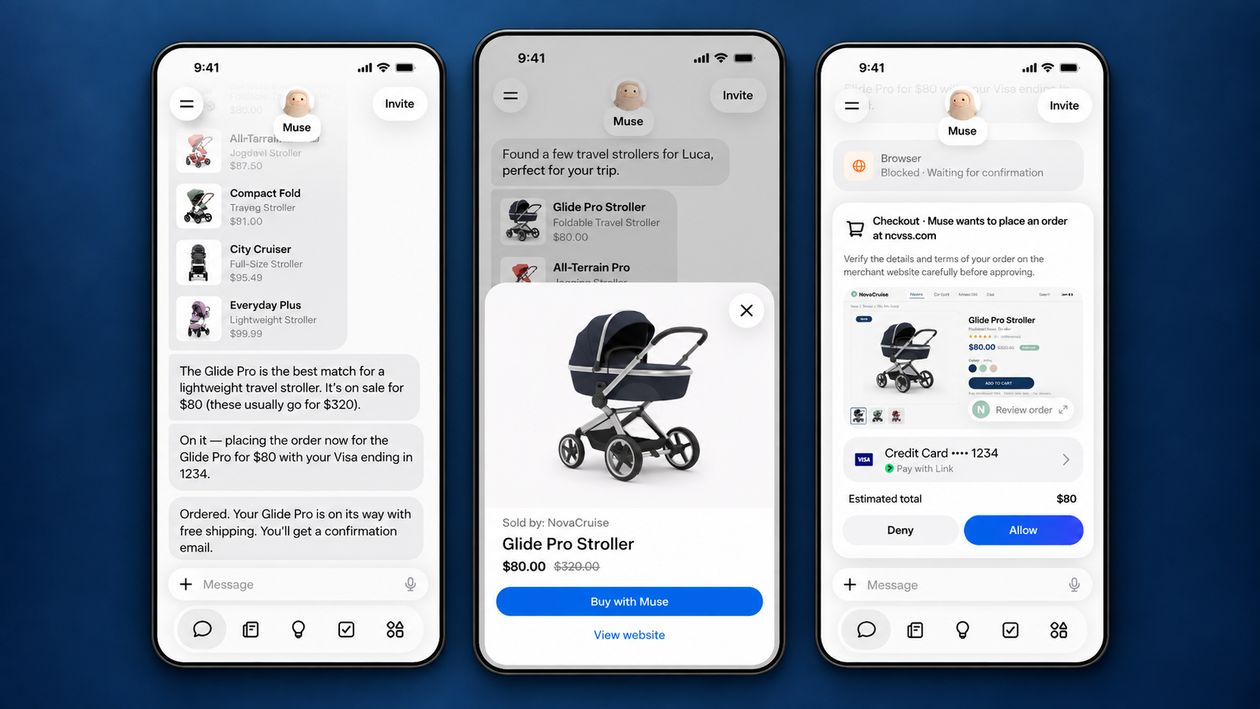
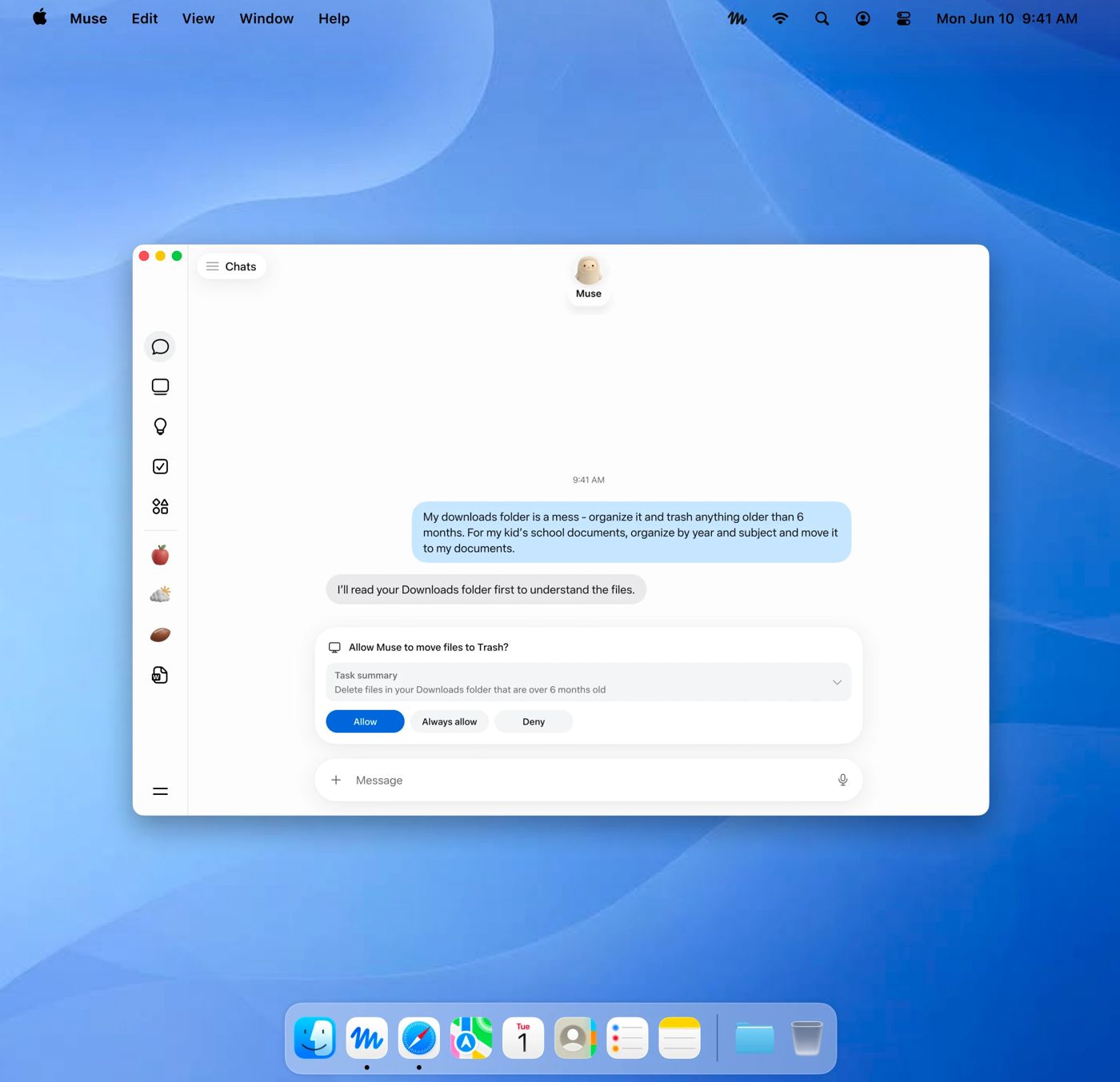
How Meta Muse shows up on your site
According to Meta's launch post, every Muse user gets a dedicated virtual machine in Meta's cloud running its own Chromium browser, and a separate safety agent on that machine approves outbound traffic through an egress proxy. When Muse visits your site, you are talking to that cloud browser. It loads pages, runs your JavaScript and submits forms the way a real browser does, because it is one. At Meta Connect on Sep 23, 2026, Meta also announced that Muse can operate a Mac, where it asks permission before actions such as moving files to the Trash.
What it does not do is announce itself. The browser reports as ordinary desktop Chrome on Linux with no AI token, and its traffic exits through large CDN networks instead of the consumer ISPs a shopper's phone or laptop would use. Meta documents robots.txt and user agents for its crawlers, such as Meta-ExternalAgent and Meta-WebIndexer, and says nothing comparable for Muse, even though Muse produced roughly 20 times as many sessions as Meta-ExternalAds across sites that use Verisoul in the same window.
| Check | What Meta Muse does |
|---|---|
| User agent | Desktop Chrome on Linux, with no Muse or AI token |
| Web Bot Auth signature | None documented by Meta |
| IP ranges | No published list, exits through large CDN networks |
| robots.txt | Not documented for Muse, only for Meta's crawlers |
Why Muse is hard to detect
Most agent detection starts with a declaration you can match or verify: a token in the user agent, a published IP file or a Web Bot Auth signature that proves who sent the request. Muse gives you none of these, so allowlists and user agent rules have nothing to match, while a static IP or browser rule only lasts until Meta changes the egress or the browser. Amazon's block was reportedly bypassed that way, by running Firefox through Muse's egress proxy.
The browser itself does not help much either. A real Chromium instance in a real virtual machine doesn't carry the headless markers that cheap scrapers leave behind, and because Muse often signs in with its user's own credentials, a Muse session on an existing account can look a lot like account takeover from a new device. The signal is in the combination: where the session comes from, what kind of machine it runs on and how it moves through the page.
How Verisoul detects Meta Muse
Verisoul names Muse by inference, which means we combine several independent signals because there is no declaration to check. On the network side, the traffic exits through the hosting network Muse runs on and carries a bot-like network score. On the device side, the browser is cloud hosted with a virtual machine device profile. On the behavior side, the session shows bot-like interaction patterns from start to finish. No single one of these says Muse on its own, while together they do, and Verisoul returns the result in the API next to the bot score.
"agent": {
  "id": "meta_muse",
  "name": "Meta Muse",
  "provider": "Meta",
  "type": "ai_assistant",
  "detection_method": "inferred",
  "detection_signals": [
    "network",
    "device",
    "behavioral"
  ]
}idis the stable name you write rules against, heremeta_musetypeisai_assistant, meaning an agent acting for one person, as opposed to a crawler or a headless scraperdetection_methodisinferred, which tells you Verisoul identified the agent from evidence and did not rely on a signature or a self-declared user agentdetection_signalslists the signal families that agreed, herenetwork,deviceandbehavioral
The Agent Atlas entry for Meta Muse shows the same response and the signals behind it, and the AI agent detection docs explain every method and field.
Meta Muse was 68% of the personal-agent sessions Verisoul named, Oct 29 to Nov 1, 2026
Share of sessions with a named personal agent on sites that use Verisoul, %. Oct 29 to Nov 1, 2026
How to detect Meta Muse step by step
- Add Verisoul to the pages where agents act, such as sign-up, login, checkout and payouts, so every session gets a bot score and an agent field
- Read the
agentobject in each Verisoul API response and logmeta_musesessions separately for a week to see where Muse shows up in your flows - Write a rule for the
meta_museid in your decision engine for each step, using the AI agent detection docs as the field reference - Send Muse sessions on risky steps, such as new accounts, payout changes and password resets, to step-up checks or manual review
Should you block Meta Muse?
Usually not everywhere. Muse acts for a real, often paying person, so blocking it outright at browse and checkout can cost you customers who simply asked their agent to buy something. Most teams let Muse browse and complete purchases and treat it as a known agent instead of an unknown bot.
The steps that deserve friction are the ones where fraud pays: creating new accounts, claiming sign-up bonuses, changing payout details and resetting passwords. An agent that can run many sessions in parallel from cloud machines makes those steps easier to abuse, so review or step-up checks there protect you without turning away legitimate shoppers.