

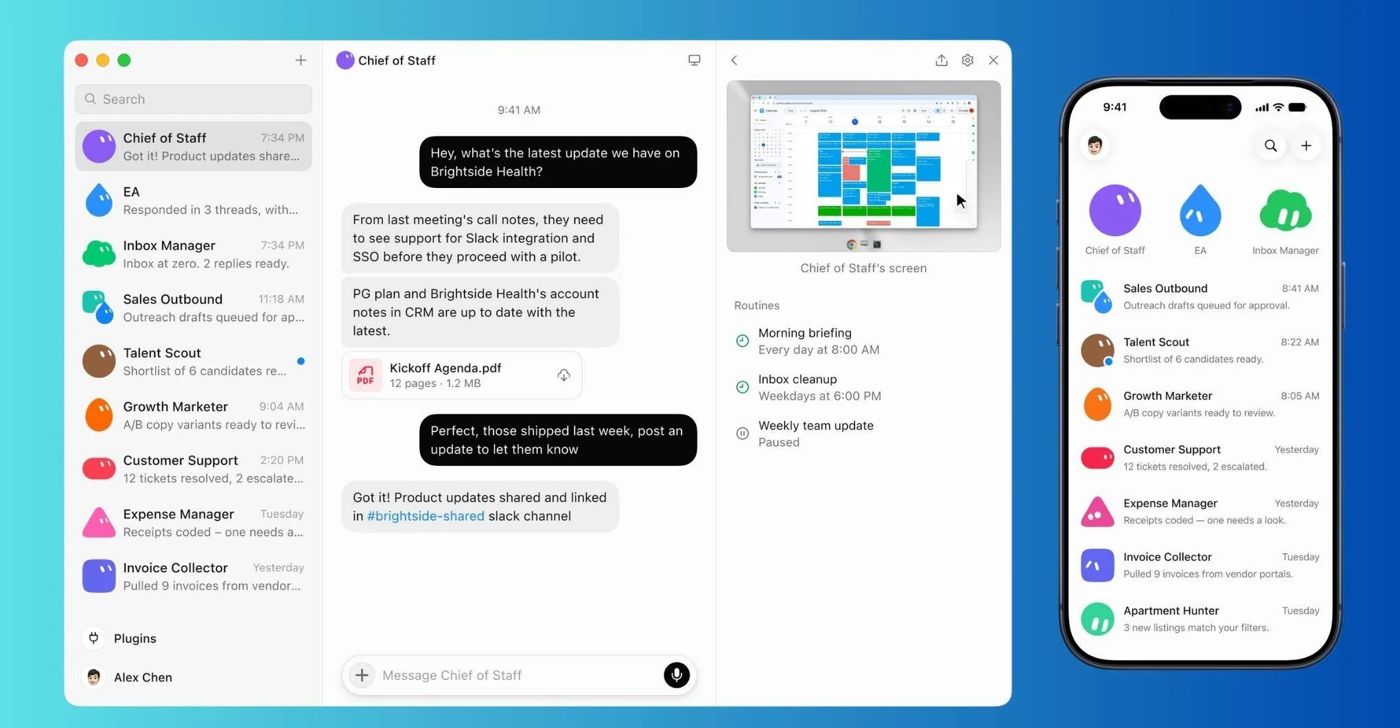
Grok Bot is xAI's always-on agent product. Each Bot is a persistent, named AI teammate that works on a cloud computer with a browser, terminal and files, signing in to the user's apps and websites to run multi-step jobs and routines. xAI, renamed SpaceXAI in July 2026, launched it in beta on Aug 11, 2026 for SuperGrok and Cursor paid plans, included it with all SuperGrok, Cursor Pro and Cursor Teams plans on Aug 26 and opened it to enterprises on Sep 3, when the waitlist ended.
The Grok Bot docs describe use cases that land squarely on business websites: sales prospecting and CRM cleanup, inbox and subscription cleanup, customer support refunds, invoice and expense processing and checkout with saved cards, Link or X Money. A Bot has no identity of its own and acts as the signed-in member, which is why fraud and risk teams need to tell it apart from that member typing by hand.
xAI has not published usage numbers, and Verisoul does not have enough named Grok Bot traffic yet to report volumes.
How Grok Bot shows up on your site
Each member gets one microVM in Cursor's cloud in the US, shared by all of their Bots, with a browser, filesystem, terminal and persistent browser sessions. By default those computers leave through shared static egress IPs used by every Grok Bot customer, which xAI gives out only through its account team. Users can also turn on a setting called Route traffic through this computer, after which your site sees their desktop's connection instead of the hosted computer's IP.
xAI's security docs say Bots should hand CAPTCHAs, blocks and human checks back to the user instead of working around them, and that some services flag datacenter IPs.
xAI's docs don't mention signing, while Cloudflare Radar's bot directory lists Grok Bot as a signed agent with a published Web Bot Auth key directory under a GrokAgent user agent pattern. That gives sites a way to verify Grok Bot cryptographically, and sites behind Cloudflare can act on the signed identity directly.
| Check | What Grok Bot does |
|---|---|
| User agent | Not documented by xAI, Cloudflare Radar lists a GrokAgent pattern |
| Web Bot Auth signature | Signed agent on Cloudflare Radar, verified by Verisoul |
| IP ranges | Shared static IPs, only via the account team |
| robots.txt | Not documented by xAI |
Why Grok Bot is medium hard to detect
A verified signature is the strongest identity signal an agent can send, because it can't be copied the way a user agent can. When Grok Bot's requests carry one, naming the session is reliable. The difficulty is that xAI documents so little around it: no published user agent, no public IP file and no robots.txt token, so teams without signature verification have only datacenter IP hints to go on.
Desktop routing makes it harder again, since a Bot sending traffic through the user's own computer arrives from a residential connection. Name confusion adds noise too. Grok Bot the agent is different from GrokBot and xAI-SearchBot, which are xAI's crawler names, and a rule written for one will not cover the other.
How Verisoul detects Grok Bot
Verisoul verifies the signed request cryptographically against the provider's key, then checks that the browser is cloud hosted with a virtual machine device profile and that clicks, typing and page flow are automated. A signature tells you who operated the request, and the device and behavior checks confirm the session matches it.
"agent": {
  "id": "grok_bot",
  "name": "Grok Bot",
  "provider": "xAI",
  "type": "ai_assistant",
  "detection_method": "signed",
  "detection_signals": [
    "cryptographic",
    "behavioral"
  ]
}idisgrok_bot, the name for xAI's agent, separate from xAI's crawlerstypeisai_assistant, an agent acting as one signed-in memberdetection_methodissigned, meaning a verified signature identified the operatordetection_signalslistscryptographic,deviceandbehavioral
The Agent Atlas entry for Grok Bot has the sample response, and the AI agent detection docs explain signed detection.
- 01User assigns a task to a Bot
- 02Bot's cloud computer opens your site
- 03It signs in as the member
- 04Your login sees a signed cloud browser
How to detect Grok Bot step by step
- Add Verisoul to login, checkout and account settings so each session returns an agent field and bot score
- Match
agent.idequal togrok_botand keep separate rules for xAI's crawlers - Allow verified
grok_botsessions on everyday pages, and use bot score for routed sessions Verisoul can't name - Watch checkouts and payout changes closely, since a Vault card can fill at checkout without per-purchase approval
Should you block Grok Bot?
Grok Bot acts as the signed-in member, so most teams allow verified sessions to work in the account the way that member would. Blocking them mostly breaks workflows for paying customers who chose to delegate.
The exceptions are the money steps. xAI's docs say a Vault card can fill at checkout without a per-purchase approval, so add review on sign-up, payouts and account changes and watch high-value or unusual checkouts from grok_bot sessions closely.